

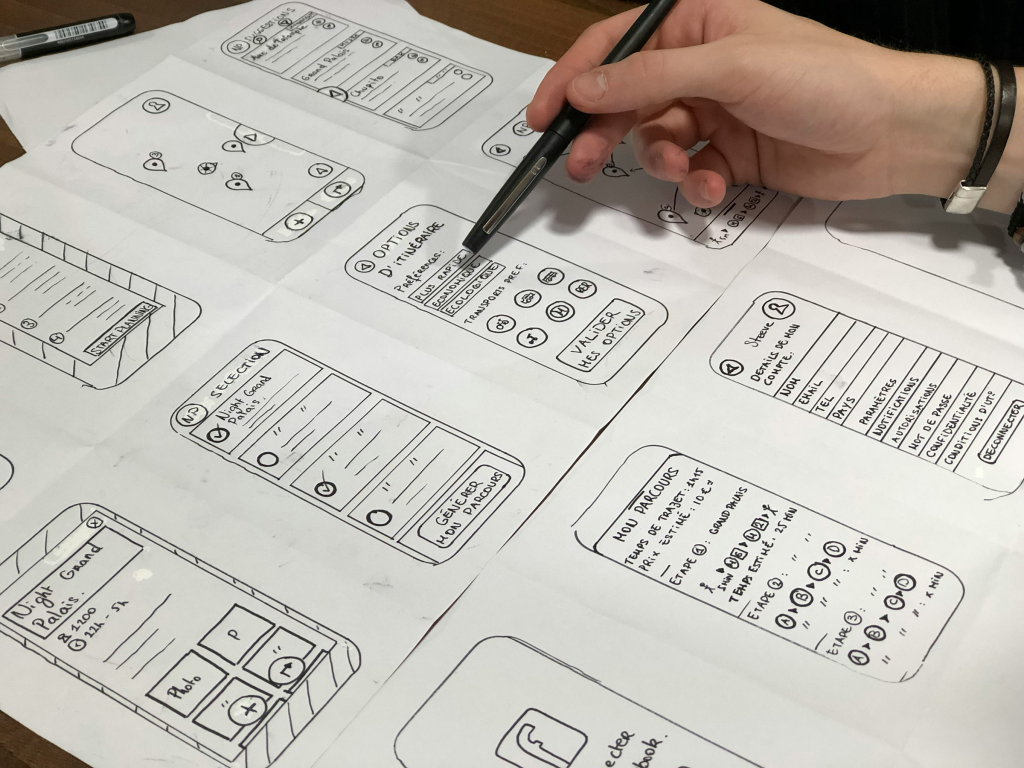
A user flow is a visual representation of the steps a user takes to complete a specific task within a digital product. It helps designers and developers understand user behavior, optimize navigation, and create seamless experiences. A well-defined user flow improves usability, enhances engagement, and minimizes friction in the user journey.
Why is User Flow Important?
- Improves User Experience (UX) – By mapping out user interactions, designers can identify pain points and streamline processes.
- Enhances Product Efficiency – A clear user flow ensures users can accomplish tasks with minimal confusion or frustration.
- Facilitates Better Decision-Making – Understanding how users interact with a product helps teams make data-driven design choices.
- Aligns Stakeholders – User flows serve as a communication tool between designers, developers, and product managers, ensuring a shared understanding of user journeys.
Steps to Create an Effective User Flow
1. Define the User Goals
Start by identifying what the user wants to achieve. This could be signing up for an account, purchasing a product, or completing a form.
2. Identify Entry Points
Determine how users enter the system. This could be via a landing page, an ad, a search result, or an app home screen.
3. Map Out User Steps
Break down the journey into key steps. Use flowcharts or diagrams to represent interactions such as clicks, scrolls, or transitions between screens.
4. Consider Decision Points
Identify areas where users make choices (e.g., selecting a product, choosing a payment method). Decision points affect how the user moves through the flow.
5. Incorporate Wireframes or Low-Fidelity Screens
Adding wireframes to your flow helps visualize how each step will look and function.
6. Validate with Testing and Feedback
Share the user flow with stakeholders and conduct usability testing to ensure it meets user needs and expectations.
Tools for Creating User Flows
- Figma – Offers collaborative features for designing user flows and wireframes.
- Adobe XD – Provides intuitive tools for creating interactive user flows.
- Miro – Great for brainstorming and mapping out user journeys.
- Lucidchart – Ideal for creating flow diagrams with decision points.
Conclusion
A well-structured user flow is crucial for designing intuitive and user-friendly digital experiences. By carefully planning each step in the journey, teams can create products that meet user needs efficiently and effectively. Would you like assistance in creating a user flow for your specific project?